This article contains affiliate links. When you purchase through these links, we may earn a commission — at no extra cost to you.
Dictation software has come a long way since its early days of clunky errors and laborious training phases. Today’s tools are remarkably accurate, with some achieving word recognition rates as high as 97% without any prior setup. This evolution has transformed how professionals, creatives, and individuals with accessibility needs interact with their devices, allowing for seamless voice-to-text functionality. After rigorous testing of 19 different dictation tools, Wispr Flow emerged as the best option for most users, blending precision with customization and ease of use.
- Wispr Flow offers unmatched accuracy and supports advanced features like custom vocabulary and formatting commands.
- Microsoft Word’s free Dictate feature is ideal for writing-focused users who want a no-cost solution.
- Dictation software is invaluable for people with limited hand dexterity, chronic pain, or those who need hands-free typing options.
- Modern dictation tools are useful for professionals working in challenging environments, such as while wearing gloves or multitasking.
- Accuracy rates of up to 97% make speech-to-text tools reliable for both casual and professional use.
Why Dictation Software Matters
Dictation software isn’t just a convenience; it’s a lifeline for many. For individuals with limited hand mobility or chronic pain, dictation software provides an essential way to communicate and work without physical strain. Similarly, professionals in industries like healthcare or construction rely on these tools to type while wearing gloves or performing other tasks. The ability to dictate while walking, biking, or even driving has also made such software indispensable for busy individuals who need to maximize productivity.
Top Choice: Wispr Flow
Wispr Flow leads the pack thanks to its impressive accuracy — it can recognize 97% of spoken words correctly without requiring any training. Beyond its precision, Wispr Flow enables users to add custom vocabulary, making it ideal for technical fields or creative professionals with specific jargon. Its formatting commands allow users to control the structure of their dictated text effortlessly. Moreover, the software cleans up dictated text without altering the intended message, ensuring clarity and professionalism.
Another standout feature of Wispr Flow is its adaptability. Whether you’re dictating emails, crafting long-form content, or taking quick notes, the software adjusts to your needs seamlessly. For those interested, Wispr Flow can be purchased via Amazon.
Budget-Friendly Option: Microsoft Dictate
For users seeking a free alternative, Microsoft Word’s Dictate feature is a surprisingly robust choice. While it doesn’t offer advanced functionality like custom commands, it excels at accurately transcribing speech in real time. This makes it a fantastic option for students, casual writers, or anyone who needs a straightforward solution for documenting their thoughts.
The Dictate feature is integrated into Microsoft Word, making it easily accessible for users already familiar with the software. Though it lacks some premium features, its accuracy and simplicity make it a worthwhile option for light users.
Choosing the Right Software
When selecting dictation software, consider your specific needs. If accuracy and adaptability are your priorities, Wispr Flow is the clear winner. On the other hand, for straightforward tasks or occasional use, Microsoft Dictate offers a solid, no-cost alternative. Additionally, think about usage scenarios—whether you need transcription for professional documents, creative writing, or accessibility purposes.
It’s also worth noting that most modern dictation tools support multilingual inputs, making them versatile for users who speak multiple languages. This feature can be invaluable for global teams or individuals working on multilingual projects.
What This Means for You
Dictation software has evolved into an essential tool for modern life, offering solutions for accessibility, productivity, and convenience. Whether you’re navigating physical limitations, multitasking in demanding environments, or simply looking to streamline your workflow, tools like Wispr Flow and Microsoft Dictate provide reliable options. By assessing your unique requirements and usage patterns, you can select the software that best fits your lifestyle.
FAQs
- Can dictation software recognize accents? Yes, most modern dictation tools are designed to understand a variety of accents and dialects. However, accuracy may vary depending on the software.
- Is Wispr Flow compatible with mobile devices? Yes, Wispr Flow offers mobile compatibility, allowing users to dictate on their smartphones and tablets.
- Does Microsoft Dictate support languages other than English? Yes, Microsoft Dictate supports multiple languages, making it a versatile option for multilingual users.
- Can I use dictation software offline? Some tools, like Wispr Flow, offer offline capabilities, while others require an internet connection for optimal performance.
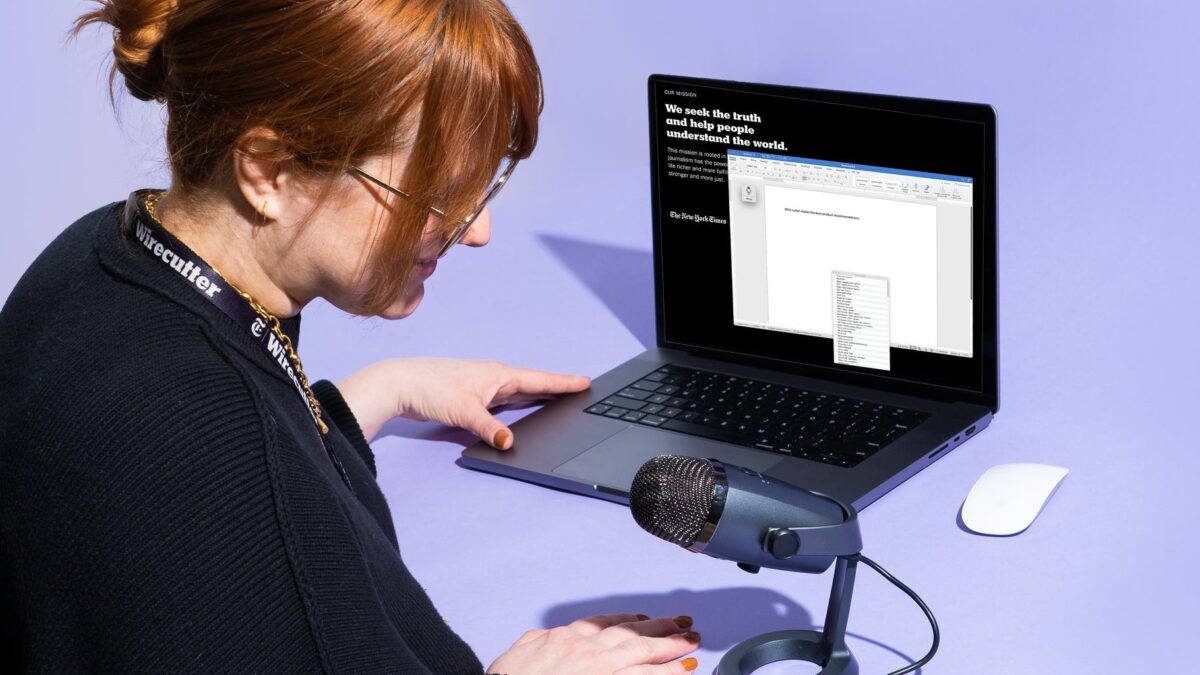
- What hardware do I need for dictation software? Most dictation software works with built-in microphones on smartphones, laptops, and desktops. For enhanced accuracy, external microphones are recommended.